Merge a Tank Controls
PC and mobile inputs for smoother merges, camera work, and Settings access.
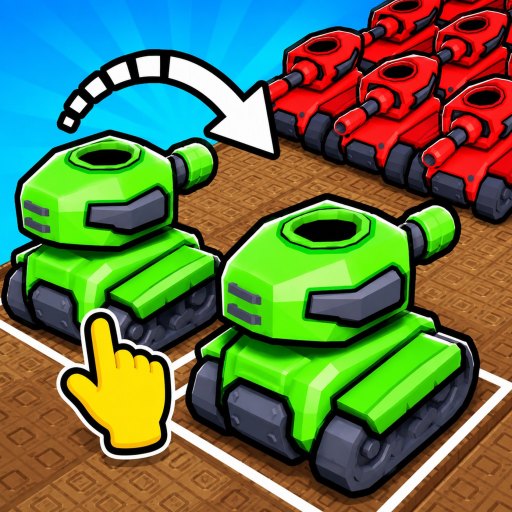
Good controls will not raise tank tiers by themselves, but bad controls make every merge in Merge a Tank feel worse than it is. This page documents the practical inputs Habit Games players need on Roblox PC and mobile so you can drag equals cleanly, open Settings for codes, and navigate the pad without misclicks.
Desktop essentials
- Movement: standard Roblox WASD or arrow keys to reposition your character around the base and pad.
- Camera: right-mouse drag to orbit; scroll to zoom when tanks overlap.
- Merge action: click-drag one tank onto a matching tank until fusion feedback appears.
- UI buttons: left-click Buy, Settings, defense upgrades, and deploy actions.
- Chat: press Enter to focus chat—keep it closed while merging to avoid stealing keystrokes.
If drag-merges cancel early, zoom out slightly so collision boxes are easier to hit. The how to merge guide covers the mechanical rule; this page covers the fingers.
Mobile essentials
- Joystick: move around the experience space.
- Camera: one-finger drag on empty space; pinch to zoom if enabled.
- Merge: press-hold a tank, drag to its twin, release on overlap.
- Settings / codes: tap the gear or Settings control, then the code field—details in how to redeem.
- HUD clutter: collapse optional panels if Roblox or the experience allows it.
Fat-finger mistakes are the mobile tax. Slow the final merge drop and avoid merging while the camera is still swinging.
Settings, codes, and menus under pressure
Weekly Habit Games updates sometimes shuffle icon placement. If Settings vanishes, rejoin once and check edges of the screen. Redeem codes before intense merge sessions so you are not hunting menus mid-potion—see Codes Hub and earn cash fast.
Quality-of-life habits
- Increase Roblox UI scale on small phones.
- Use headphones on mobile so reward toasts are audible.
- On PC, bind nothing weird over WASD; default Roblox controls are enough.
- After a merge fails twice, reposition the camera before blaming the game.
Accessibility notes
Color-heavy pads can hide tier differences. Zoom and orbit until silhouettes clearly differ. If you struggle with hold-drags, practice on low tiers from Getting Started before high-stakes fusions.
Controls checklist before a grind session
- Confirm Settings opens (codes ready).
- Test one cheap merge drag.
- Verify you can reach defense upgrades for the session closer in upgrade defenses.
- Open the merge planner in a browser tab if you like external math.
- Keep Guides Hub bookmarked for mid-session questions.
When controls are not the real issue
If inputs feel fine but progress stalls, switch mental models: economy (earn cash fast), roster quality (tier list), or patch changes (Updates). Controls only unlock clean execution of those systems.
Comfortable hands make Merge a Tank’s idle fantasy pleasant. Spend five minutes practicing drags on throwaway tiers—the later game will thank you.
Practice drills that stick
Spend three minutes on throwaway low-tier merges before a serious potion window. Drill one: merge without moving the camera. Drill two: merge while orbiting slowly. Drill three: open Settings, close it, and resume a drag without misclicking Buy. Those drills sound silly until a high-tier tank slips because your thumb was still sliding the joystick.
When Habit Games ships a weekly UI tweak, repeat the drills once. Controls muscle memory decays faster than merge theory. Pair this page with Getting Started after any long break so the whole loop—not just the fingers—feels familiar again.
Server hop tip
If UI buttons refuse to appear after a busy join, hop servers once before blaming your fingers. Habit Games experiences can load menus late on congested instances. After a clean join, retest Settings and a single merge drag, then continue your Codes Hub and Guides Hub routine.
Frequently Asked Questions
Quick answers players ask about Merge a Tank.
How do I merge tanks on PC?
Click and drag one tank onto an identical tier tank until the merge completes. Adjust the camera if targeting feels awkward.
How do I merge tanks on mobile?
Press-hold a tank, drag it onto its match, and release when they overlap. Slow the final drop to avoid cancels.
Where are Settings for codes?
Open the Settings/gear control on your HUD after the game loads, then use the code box described in the redeem guide.
Why does my drag keep canceling?
Zoom for clearer hitboxes, steady the camera, and avoid moving the joystick during the final drop on mobile.